 Binarynights

New
- Italian localization
- Ukrainian localization
- Polish localization
- Option to print the selected files from the File menu
Improvements
- Improves the performance of “New Folder with Selection”
- Changes the editability of .eml files, which makes them previewable
Fixes
- Filters out the Tools (created in the Settings) from the “Open Favorite” section of Quick Open because those couldn’t be executed. The tools are now only listed in the “Execute Command” section
- Addresses the Terrapin Vulnerability (CVE-2023-48795)
I immediately updated to 4.0.7.
I am happy to see that the speed of the “New Folder with Selection” has been improved.
For me, ForkLift.app has become the single best filer in the world.
Thank you to the developers and to everyone at BinaryNights.
I will continue to support your wonderful app development!
Thank you
The preview function of *.eml files seems to be solved. But I am still not able to open attached files from the preview panel. A double click does select the file but nothing happens. So, if I want to open attached files I am still forced to user the finder. I hope this will be fixed in a near future update.
Have you mentioned this issue before? I wasn’t aware of this problem and I’m not sure that that is something we can solve. I will add that to our bug tracker and we will investigate if that is possible.
No didn’t. How could I. I wasn’t even able to deal with a preview cause there were no preview.
Ah, sorry, you are right:) We will check out if we can enable that feature or not.
Hi,
when I set the delete keyboard button to move files to the trash, i does not work.
I can set the shortcut, but when using it with the selected file nothing happens.
If i set another key, everything works fine.
I believe that this is an issue with new keyboards where the Backspace key is called Delete. If you set that key, then it unfortunately doesn’t execute the Delete command. We will look into this problem.
Hello, I abandoned ForkLift 4 because of too many bugs, slowness and deleted functions (according to my own needs).
I have just reinstalled the latest version 4.0.7 and I find again an application much more advanced than the Finder and a more functional one (according to my own needs):
– Grouping a selection of files/folders is now immediate. It’s perfect (finally). You can then immediately enter the name of the new folder created.
– Mounting volumes from a NAS is still fast (the Finder is definitely lagging behind).
– Transfers (SMB) of files/folders to a network volume are fast and do not hang the system like Finder does (?!).
– The Workspace Recording function is really very practical: calling up a configuration is immediate.
On the other hand, FL always behaves quite strangely:
– Selection of files and/or folders: I noticed that hovering over files and folders in a FL window by Drag and Drop while drawing an area worked very, very randomly. Sometimes, no item is selected, the area is not even displayed. Sometimes, items are selected IF you start drawing this hover area from the left, other times, it’s from the right!…
It’s incomprehensible and it’s a bug that will have to be corrected!…
– Under macOS Ventura 13.6.4, with Stage Manager enabled, I noticed that to bring FL to the foreground, I sometimes had to click and click on its thumbnail in Stage Manager!…
I am back to Forklift 3 again. I work with network drives (like NAS storage) and this seems not testet at the moment. If you copy a file with Finder or Forklift 3 to a network drive the creation date of the file is retained. With Forklift 4 the file gets a new creation date. Bad for syncing and backup things. By the way, the available disk space is not updated after copying or deleting actions on network drives. You have to close Forklift 4 and open it again to see the current free space…
We have investigated this issue before and we found out that ForkLift 4 is not at fault with the change in the modification dates.
Regarding the available disk space, do you mean inside the panes or in the sidebar? We are aware of the issue in the sidebar.
I mean the side bar.
The modification date ist correct. I mean the CREATION date. If you copy or move files with Finder or Forklift 3, the CREATION date of the files will be retained. If you copy or move files with Forklift 4, the CREATION date will be reset.
I’m glad to hear that you are more satisfied with ForkLift 4 than after its release. Please send us a screen recording of those issues at support [at] binarynights [dot] com
Oops!…
The Safari icon does not appear in the Applications folder, although the Finder displays it.
Regarding Themes, if you have previously chosen the “Light” or “Dark” themes, clicking on the “+” button to create your own theme displays the current FL window with its toolbar and the preview on a background transparent !…
I have never noticed this before but I have investigated this issue and I found out that Safari is not listed inside the Applications folder because it is not located inside the Applications folder. Safari is actually located here: /System/Volumes/Preboot/Cryptexes/App/System/Applications/Safari.app Since Apple knows that they have “hidden” Safari, they created a link to it inside the Applications in Finder. 3rd party developers just look at the content of a folder and then display it. Since we don’t know what is hidden and what is not even there but listed there in Finder, we simply display the content of the folder in ForkLift. We will consider linking to Safari from within the Applications folder.
I think, that the transparent backgrounds are a tad more confusing than they should be but unfortunately, the default light and dark themes have a transparent background by default, and when you want to create a new theme when one of those is selected, the editable ForkLift window opens with a transparent background as well. As a workaround, you can select another theme to start with: Sand is a light theme, Dracula is a dark theme. Select one of those, and the background won’t be transparent. Or if the background is transparent, then click the “Base Color” color field in the Theme editor and in the color picker, which opens, set the opacity to 100% with the slider.
Thank you for your response… “amusing”, knowing that it is indeed your company which fully develops ForkLift with all the functionalities that work (we can “thank you”) and all the bugs it contains… “yet”. Unless Binarynights doesn’t develop ForkLift itself!…
But, proposing such a “naive” “solution” to get around this bug with a basic manipulation (choosing another theme before duplicating it) seems completely inappropriate to me. Even though it’s not that important, we agree.
The user still expects to have a perfect and identical copy when he makes a duplication, whatever the object/selection/item.
As for the absence of the Safari app in ForkLift’s Applications folder, I’m perplexed that you never noticed it.
One last question (pungent, but not aggressive): do you test your software?…
The software is great, but it would be even better if it supported Chinese.
We definitely want to add Chinese localization in the future.
What is the “Cut’ (cmd+x) command actually for? Is it for moving files? It is always disabled (greyed out) for me. Please, can some one explain?
That is for cutting text when you are editing and not for cutting files. You should copy and move files with Command-C and Command-Option-V.
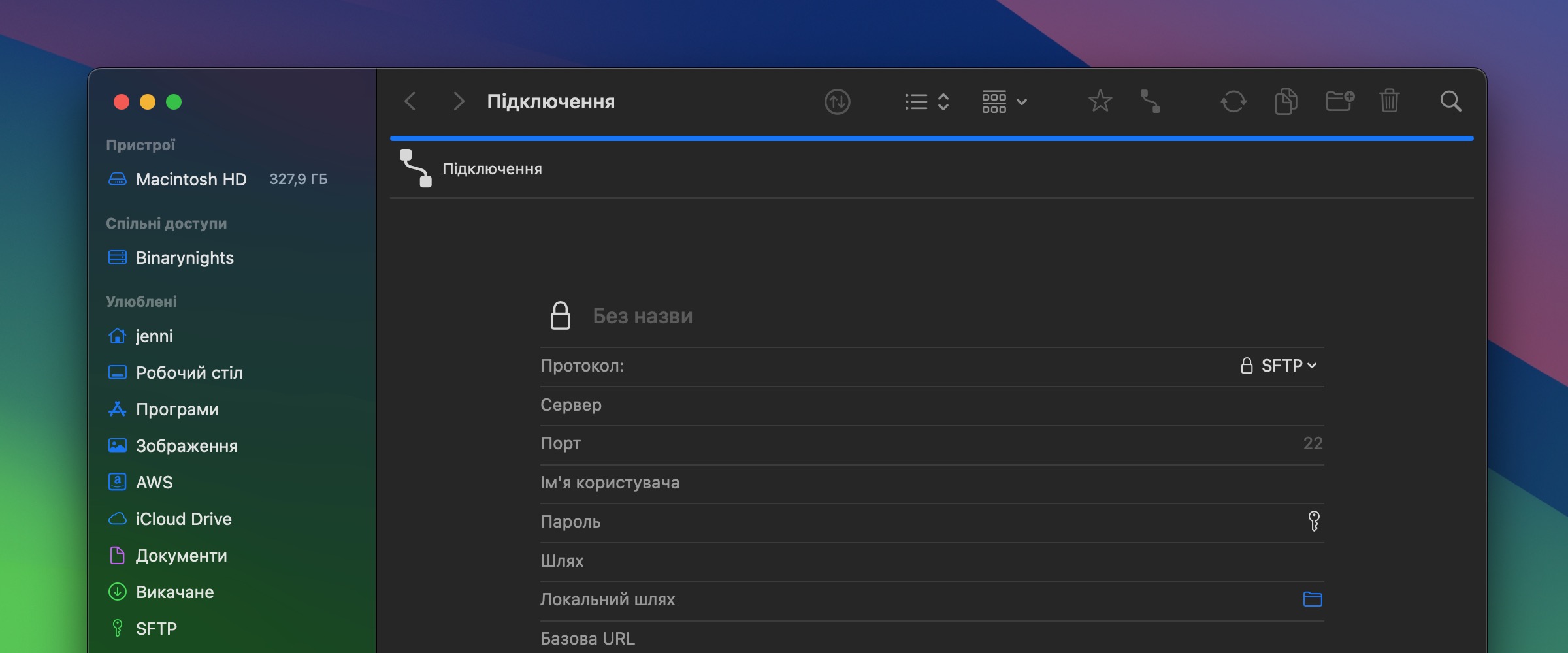
4.0.7 crashes every time you try to connect via sftp 🙁
Please send us the crash report directly at support [at] binarynights [dot] com if you haven’t already.
There’s a bug in this version. When you try to select a favorite it deselects it and selects “Macintosh HD” instead.
I can confirm this behavior when you have started ForkLift. But after you have selected other favorites it starts working again.
Thank you for reporting this. We will look into it.
This will be fixed in the next update. When you click the icon inside the path bar, you can select Macintosh HD if you want to directly select that location directly (which is not possible in the sidebar if it is already selected)
Thanks – this bug is very annoying.
I’m sorry for that. If you feel that the bug is extremely bothersome and affects your workflow, you might consider downgrading to the previous version. https://download.binarynights.com/ForkLift/ForkLift4.0.6.zip
I too find this bug (no selection “sticks” in sidebar) in 4.0.7 annoying. I am using the SetApp version of the app so I cannot easily downgrade to 4.0.6. The sooner this problem can be solved with an update, the better. Thank you.
I’m sorry for that. We will try to issue a new version soon.
I rolled back to 4.0.6 as this bug makes FL unusbale for me. Look foward to next version!
Is it possible to implement a search/filter functionality similar to Path Finder where, when in list view, you can expand folders that match the filtering criteria to see the contents? The folder contents themselves are not filtered. Currently when searching in ForkLift you cannot see the contents of a folder matching your search criteria unless you cancel the search. I find this a very useful feature in Path Finder although overall I prefer ForkLift.
Please contact us in an email and let us know how you do that in Path Finder, step by step or by including a screen recording. I’m not familiar with this feature and I would like to try it to see what it does exactly. Please write at support [at] binarynights [dot] com
Will do, thanks!
If you try to save a sync favorite and move the cursor outside the save dialogue box the synk name and the favorite folder you have chosen is reset so you must be careful not to move the curser outside when saving.
The automatic more information fold down function in the sync window behind the save favorite dialogue box kicks in when you move the cursor outside.
I got your reply before, but I expect to connect SFTP with ProxyJump one day on ForkLift 4.
Hello,
I’m using Default folder X also and it was integrated on Forklift 3 with also more 3rd parties tools.
Is it plan to also add those to the version 4?
Yes, we want to add the same support. DFX is partly integrated but the toolbar items are missing.
TAB OVERVIEW
I love tabs, also within Forklift. But Tabs can get confusing over time and a nice overview helps to keep order.
Request:
How about to add a kind of tab overview to Forklift 4, as we know it e.g. from Safari?
I have added this idea to our feature request list.
Since it can be rather messy in the sync window when you use exclude items and have a lot of rules I would suggest that you have a menu or button to show and hide active rules in the sync window.
I am writing to inform you that despite reverting to the 4.0.6 version of ForkLift, the application continues to experience crashes after a few days of use. Initially, using the 4.0.6 version seemed to provide a temporary solution as it operated without any issues for a short period. However, I regret to report that the application has started crashing again, similar to the experience with the latest version.
That is crazy. A program, which deals with your data, has no official bug tracker. Why not? Where can I find out which bugs exist and which have already been reported? How do the developers do this? Do they read the blog every morning to see if any new bugs have been reported and then transfer the information to their own notebook? An official bug tracking system would also be a clear solution for the developers. Something like this strengthens the credibility of the developers enormously if they deal with these things openly and transparently. That is not the purpose of a blog to post bugs I think…
With the new payment model, the developers have put themselves under pressure to deliver for their pre-paying customers. I think transparency is also required in this respect.
We have a bug tracker on github, which is not public and we won’t make it public. And yes, I go through the comments every day and add the bugs to our bug tracker. And I also read the emails, that users send us and add the issues and feature request to github. Usually, I get an email notification that there is a new comment, so I can find and answer it easily, but that doesn’t happen all the time, so I can overlook comments such as this one for a longer time. Even, if the bug tracker was public, we would still add and keep track of the bugs ourselves. The best way to report bugs is via email but it is also possible to report them in the blog, or on twitter.
Hi Agnesbinary!
Reposting this note since the behavior hasn’t changed in this version.
There’s one interface experience continues to aggravate me in an otherwise great experience: If I navigate to a subfolder in column view and then change views to Icon or List, the window doesn’t stay on the folder I’ve just selected, but the root folder I started with (as the Finder does). More strangely, the breadcrumb trail DOES some the nested folder I’ve navigated to, so I can click onto the destination to get me back there. But this is a very slow and multi-step interaction involving mousing around instead of a simple keyboard shortcut.
Can you fix this to behave like the finder?
This is already added to our bug tracker, I hope, that this will be fixed soon.
Hallo,
unglücklicherweise habe ich keinen anderen Weg gefunden um mit euch in Kontakt zu treten. Ich benutze ForkLift seit Version2, habe dann Version 3 gekauft und hatte eigentlich vor Forklift 3 noch eine Weile zu benutzen. Unglücklicherweise hat Version 3 den Dienst komplett eingestellt kurz nachdem Forklift 4 erschien, ein Schelm wer Böses dabei denkt. (Forklift 3 startete einfach nicht mehr und musste mit “sofort beenden” geschlossen werden. Also hab ich Version 4 gekauft, bezahlt, heruntergeladen, entzippt, in den Programme Ordner verschoben, gestartet und wurde von dem “registrieren Fenster” begrüßt. Ich habe meine neue Lizenz kopiert und eingefügt und diese neue Lizenz wurde dann ABGELEHNT. Da war ich endgültig wütend. So etwas geht einfach nicht! Ich habe dann die Testversion starten müssen, habe dort die Lizenzierung gesucht und dort die selbe Lizenz die ja noch im Speicher war eingefügt und die Lizenz wurde akzeptiert …… aber wütend bin ich immer noch. So bahandelt man längjährige Kunden nicht.
Trotzdem viele Grüße und einen schönen Tag
Andreas
The fact that ForkLift 4 was released has zero effect on the way how ForkLift 3 is working or if it starts or not. ForkLift 3 and ForkLift 4 can be used at the same time on the same Mac. That issue is most likely related to the helper tool, which is very easily fixable by entering a few lines into Terminal:
Quit ForkLift and open the Terminal app (Applications > Utilities > Terminal) and run these 3 commands separately, line by line. After the first line Terminal will ask you for your password, enter the password and run the remaining two commands line by line too:
sudo launchctl unload /Library/LaunchDaemons/com.binarynights.ForkLiftHelper.plist;
sudo rm /Library/LaunchDaemons/com.binarynights.ForkLiftHelper.plist;
sudo rm /Library/PrivilegedHelperTools/com.binarynights.ForkLiftHelper;
If that doesn’t fix the issue, then contact us at support [at] binarynights [dot] com
I’m also sorry for the issue with the registration of ForkLift 4 but it can happen that the license key isn’t accepted when there are some other characters, such as leading or trailing spaces copied with it. When the key is copied from the email, sometimes some letters and numbers get modified, these are usually ones and zeros and i-s and o-s. That way, you paste a different license key into ForkLift than what was sent to you. Often the difference in the key is not really visible when you take a look at the pasted key but it doesn’t have the same characters, so it won’t be accepted by ForkLift. I’m glad you were able to register ForkLift in the end. Thank you for sticking with ForkLift for so long.
Hi Agnes or others,
I would happily buy Forklift. But I need version 3, because i NEED proper selection. And since you said you don’t want to fix it, please let me buy V3 where i can work like in MuCommander.
How do I get a Forklift 3 license?
PS Forklift 3 speaks Spanish, too. I could Translate the new one, that is my job
Please buy a ForkLift 4 license, and it will be accepted by ForkLift 3 as well.
Thank you for your offer to translate ForkLift 4 but the localization is on its way already.
Drag & Drop from Finder don’t work!!
In general, it does work, so please try to provide additional info, such as the outlay and view in ForkLift and the locations inside Finder and ForkLift (external drive, etc) Also try to restart ForkLift and/or your Mac before you try to experiment with it. A screen recording via email would be also helpful.