 Binarynights

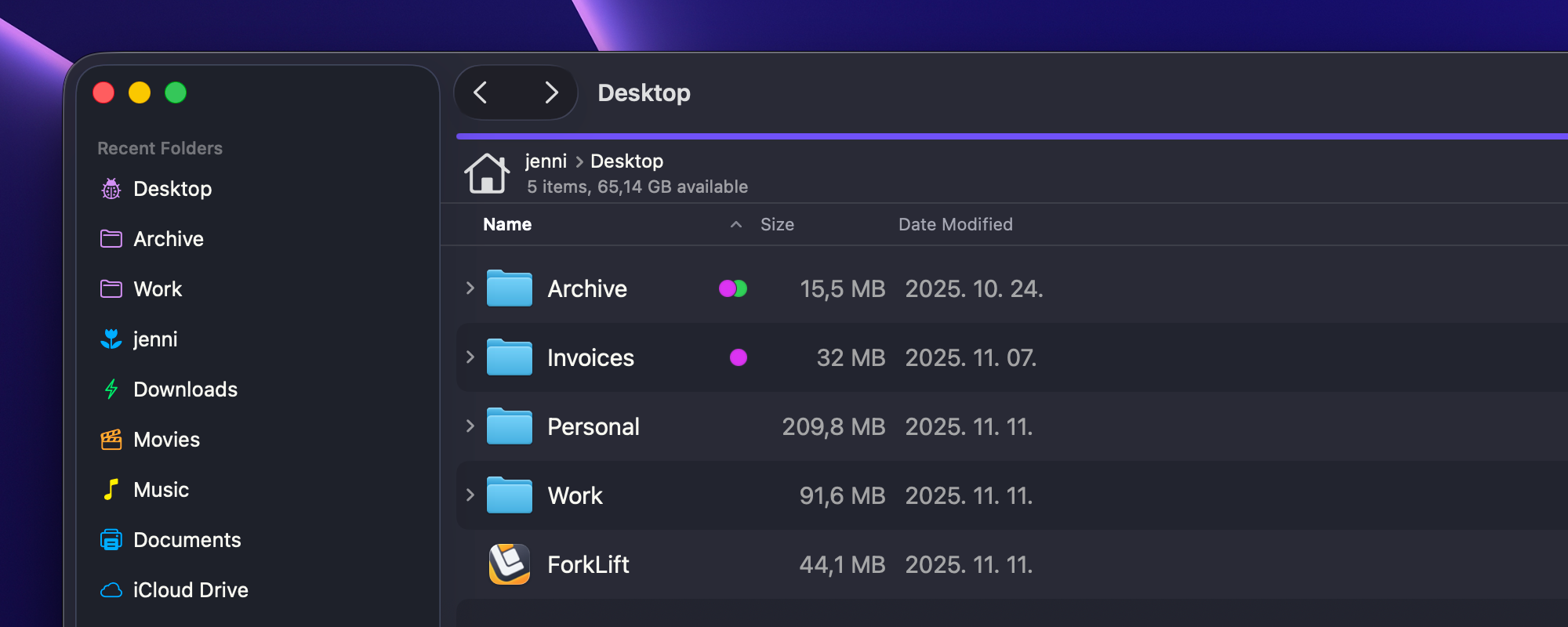
Fixes for the Preview Pane, sidebar, and visual issues on macOS Tahoe
ForkLift 4.4.4 brings a number of important fixes and refinements.
One of the key fixes in this update addresses an issue where the information section of the Preview Pane didn’t always update correctly in some cases while navigating through files. This means that when you browse files with the Preview Pane open, the displayed information now updates reliably as expected.
We have also fixed several macOS-related visual issues, including black areas that could appear in Full Screen Mode and a problem that made it impossible to resize the window when the Preview Pane was visible on the latest macOS versions. Unfortunately, with every macOS Tahoe update, new compatibility and graphical issues have appeared, but we hope that this time everything will work as expected.
The sync process has also been improved, an issue has been fixed where, in some cases, synchronization didn’t start on the first attempt.
In addition, secondary click behavior in the sidebar has been improved: Option-clicking and Control-clicking now work as intended.
You can now also open items from the Show Devices, Quick Open Devices, and Go to Folder pop-ups by double-clicking them, making navigation more convenient for users who prefer using the mouse instead of the keyboard to select items.
Full List of changes:
Improvements
- You can now open items from the Show Devices, Quick Open Devices, and Go to Folder pop-ups by double-clicking them
Fixes
- Fixes an issue that caused column widths in Column View not to be correctly restored after restarting
- Fixes an issue where the information section of the Preview Pane didn’t always update in some cases when navigating through files
- Adds missing localization in the Settings window
- Fixes an issue that made it impossible to resize the window when the Preview Pane was visible on the latest macOS versions
- Fixes an issue in Full Screen Mode with a visible Preview where black areas appeared at the top and bottom of the window on the latest macOS versions
- Fixes an issue where no Preview was shown when an item was already selected and the Preview Pane was opened
- Fixes an issue during sync where, in some cases, folder content analysis didn’t start on the first attempt
- Fixes a possible hang when Option-clicking a sidebar item to open it in the other pane if a second pane wasn’t visible
- Fixes an issue where Control-clicking allowed editing non-editable favorites such as tags
- Fixes an issue in List View where the disclosure triangles in front of folders weren’t centered when using a font size other than 12 px
- Numerous minor fixes and improvements
Hi,
I have a feature request.
Could you please implement a Quick Look preview for folders and archive files?
When selecting a folder or an archive and pressing the space bar, it would be great if Quick Look could show the contents of that folder or archive instead of just basic metadata.
That is not possible at the moment but as I have mentioned in my email to you, we will try to add a workaround.
Have a look at “Folder Quick Look” App in App store. Its free and works with Forklift.
Hello, I cannot see a localization option in Settings. Can I change app language manually or is it picking System language automatically?
Thanks!
ForkLift uses the system languages in the order they appear in the Preferred Languages list in the System Settings > Language & Region. You can also individually change the language of any app in the System Settings in the same tab.
Wow, I never even new that I can change app language directly in Mac. Thanks!
Any plans to have Russian language supported? Is there a way to help with translations?
Thanks!
That has been possible for a few years, before that you couldn’t do that individually. Thank you for offering your help with the translation. Due to the current international sanctions related to the war in Ukraine, users in Russia can’t purchase ForkLift, and because of this situation we decided not to release a Russian localization for now. We are fully aware that Russian is spoken in many countries outside of Russia, and we hope the circumstances will change in the future so we can revisit this decision.
This version often crashes after moving files. What could be the reason for this? I hear the “Copying complete” sound and then the program freezes.
I am sorry to hear that. Freezing and crashing are two different things though. Crashing is when ForkLift quits unacceptably and you can see a crash report later. Freezing is when the app becomes unresponsive and you can see the spinning beach ball. So, depending on what you experience, either send us the crash report, that you also can find in the Console app (Applications > Utilities). Copy the entire crash report into a txt file and send it that way. If ForkLift is not responding, then send us a sample: Open Activity Monitor (Applications > Utilities), select ForkLift and choose Sample Process from the View menu, or click the Three Dots icon in the toolbar and choose Sample Process. Save it as a text file and send it to us. Make sure to sample the process while the app is frozen and the beach ball icon can be seen. If the beach balling lasts only for a very short time, make sure to have the activity monitor open already and use the shortcut: Option+Command+S to be able to sample the process more quickly.
Hello,
After updating macOS, I started having issues with ForkLift.
I’m using Tahoe 26.1 and ForkLift 4.4.4. Whenever I try to connect to a server, ForkLift crashes.
Could you please help me with this issue?
I’m sorry to hear that, please send us the crash report at support [at] binarynights [dot] com
Are you connecting to this Server via ipv6? For me it seems to be a problem with v6 addresses.
How is that a problem? What happens?
Hi,
I found out that if I connect to a SFTP Server via IPv6 Forklift crashes, if I connetct to the same Server using his V4 address, it works fine.
It was working in the past, I have all my Servers stored with their V6 address.
I also raised a ticket, but it never was answered.
Thank you for letting me know. We didn’t receive that email, I can only see one email still open from you but that is related to something else. Could you please send us the crash report(s) of this issue? Please try to trigger it with an IPv6 address. Also send the Console log of a crashed connection:
0. Disconnect from the server if you are connected
1. Open the Console app (Applications > Utilities > Console)
2. Make sure that your own device is selected in the sidebar
3. Click “Start Streaming” in the main window or the Start button in the toolbar if there are no messages inside the main Console window
4. Search for the name of the favorite that you want to connect to (or if you haven’t added the server as a favorite, then search for the term that is entered into the Server field on the connect panel)
5. In the search field change “Any” to “Category”
6. Make sure that “Include Info Messages” and “Include Debug Messages” are enabled in the Action menu
7. Try to connect in ForkLift to your server
8. Go back to Console and copy the logs
9. Send me the logs
even not mor entries when I enable Info and Debug ….
Alao no crash reports … in the past there always was a popup
see mail ….
Hi, I have exactly the same problem .. i send you log .. really disspointed as i just extended my licence 🙁
Do you have the same issue also while connecting to an IPv6 address?
yes, same problem connecting IPv6 .. I have to use Forklift 3 now since I dont have other option to connect to IPv6 address
Please contact us regarding this issue in an email, even if you already have and indicate in the subject of the email that you are writing regarding the ipv6 issue.