 Binarynights

External Drive Tags, comments, and Checksum Improvements
We recently introduced the ability to calculate checksums for files, making it easier to verify that files have not been altered or corrupted during transfers and that two files are truly identical. Checksums can be calculated for multiple files at the same time, with the file names and checksums displayed in a dedicated window.
In ForkLift 4.6.2, we improved the usability of the Checksum Window by adding support for selecting multiple items at once. You can now easily copy selected items or use Command-A and Command-C to copy all entries. The copied content is exported in CSV format, making it easy to paste into spreadsheet applications such as Microsoft Excel or Apple Numbers.
Changes to the Preview API on macOS Sequoia and Tahoe
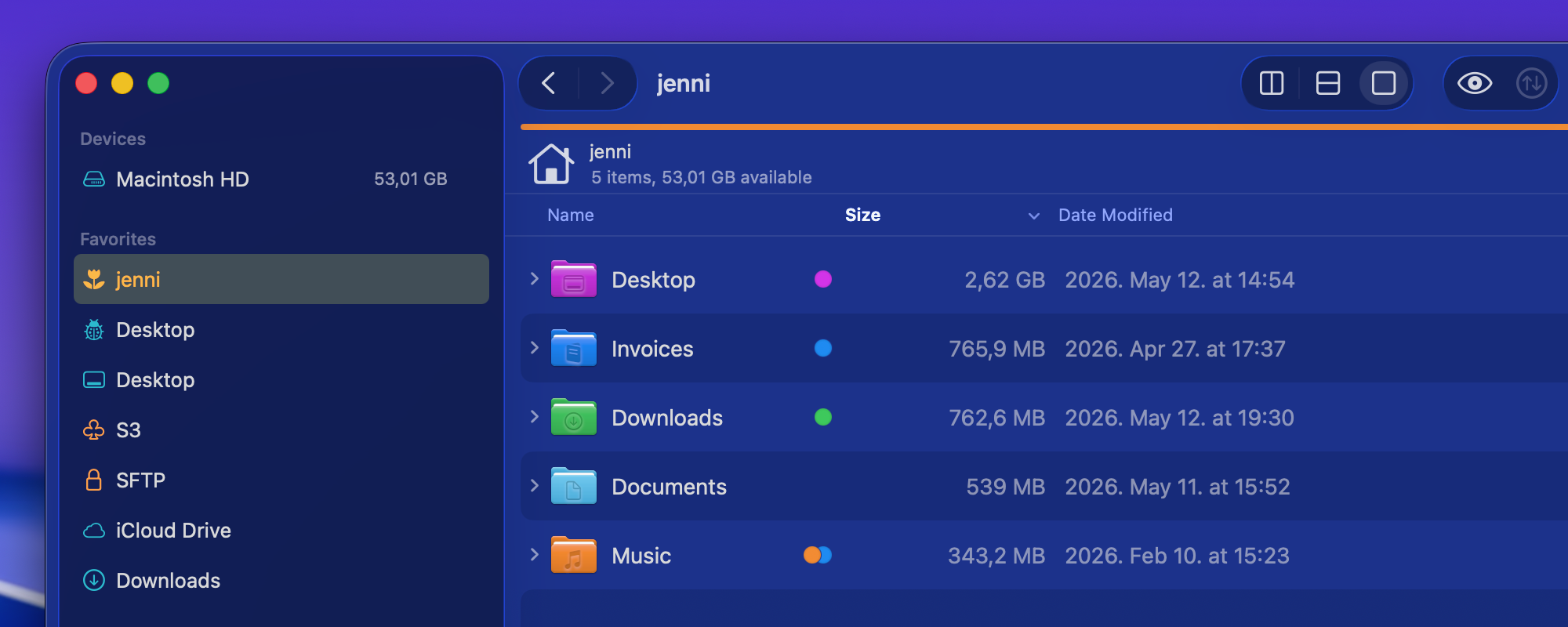
In version 4.6.1, we introduced a new Preview API to support the new style of folder icon previews. Unfortunately, this API currently has several limitations that cannot be addressed by us directly. We have reported these issues to Apple and hope they will be resolved in future macOS updates.
The new style folder icons are only available on macOS Tahoe, so in ForkLift 4.6.2 we have disabled the new Preview API for users on macOS Sequoia because it caused multiple issues with icon previews on that version of macOS. As a result, users on macOS Sequoia will no longer experience the negative side effects of the new API.
Users on macOS Tahoe will continue using the new API and will still be able to see colored folders and icons added to folders in Finder. However, the API currently does not correctly handle certain folder icon customizations made in System Settings, which means some custom folder appearances may not be represented accurately in ForkLift. Unfortunately, this limitation is outside of our control.
We have also fixed a possible crash introduced in the previous version, along with several other possible crashes and hangs, and some other fixes and improvements.
Full List of changes:
Improvements
- Displays tags on external drives
- Comments added in ForkLift now show up in Finder as well
- Adds an option to select multiple items in the Checksum Window; the copied list is in CSV format, so it can be easily pasted into spreadsheet applications
- Adds “Edit” and “Hide from Sidebar” options to the context menu of Sync favorites in the Sidebar
Fixes
- Fixes an issue with the movement of favorites in the sidebar that pointed to the same server
- Fixes a possible hang caused by recent items in the sidebar
- Fixes a possible crash in List View
- Displays a folder icon on remote locations when the folder name contains a dot
- Displays the Kind of folders correctly when the folder name contains a dot
- Fixes an issue that made it impossible to delete the last remaining digit from the Time Offset Correction field in the Sync Window
- Fixes a possible hang after a tab or window was closed during an unfinished search operation
- Fixes a possible crash after a tab or window was closed during an unfinished search operation
- Removes the new Preview API on macOS Sequoia introduced in version 4.6.1 due to several issues with icon previews
The problem with file and folder icons still exists with this version on Tahoe 26.5. File and folder icons that should have an icon are blank. If you Refresh the view you momentarily see the correct icons.
Which folder icons for example? The standard folders that have an icon on them by default such as the Downloads folder or do you use a 3rd party app to add the icons, or did you use Finder?
The standard folders that have an icon on them by default such as the Downloads folder. Also icons for files that are associated with programs.
The standard folders should have the icons on them. Could you please send us a screen recording of this issue? You can include the default folders and also the files.
I’d be happy to send you a screen recording – where do I send this to? (can’t attach anything in this comment)
support [at] binarynights [dot] com
Emailed it to the support email address (hope that is appropriate).
A similar behavior with icons started with version 4.6.1 on my macOS Tahoe 26.
*but only for Adobe files.
When I open a folder with a file (*.prproj), the icon appears, but after half a second it disappears, leaving only a blank file icon.
Other file icons are displayed correctly.
Unfortunately, this must be an issue with the new API as well. This icons must be some special icons that the API is not handling correctly. The correct icon appears first because ForkLift also includes the old API but if the new API finds an icon, it updates the icon.
+1
Reverted back to 4.6 again.
The folder icons used by macOS (Finder) briefly appear then get replaced with ugly blue icons.
Yes, I’ve gone back to 4.6 again on Tahoe.
The problem with file and folder icons not displaying correctly is obvious within the first few seconds of using the app on Tahoe.
I’m sorry to hear that. Unfortunately, we can’t fix this issue ourselves and we don’t want to go back to the old API. Hopefully, Apple will fix the issue.
No worries – I fully understand (been there with one of my own applications). I assume you posted a bug report with Apple. I’ll stick to 4.6 for now.
I’m sorry but we are going to keep using this new API, so the issue will remain as long as Apple fixes it.
Then the issue will remain forever because, as you well know, Apple does not fix things in a hurry.
The upshot of this is that you now have a broken product on Tahoe, and saying “but we are going to keep using this new API” shows that you don’t care if your product is broken or how this affects your customers.
The two APIs currently support different sets of features.
Oddly, the old API correctly reflects the new system-wide customization options introduced in the latest macOS version, such as custom folder colors/themes. However, it does not support the newer folder customization features added in Finder itself, such as custom folder icons or dynamically changing folder colors based on tags.
The new API, which Apple introduced specifically for these newer customizations, supports the custom folder icons and tag-based folder colors. Unfortunately, it currently does not reflect some of the broader system appearance customizations, such as the global color themes introduced in macOS Tahoe.
Since Apple introduced the new API alongside these system changes, we expected it to support all related customizations consistently. At the moment, however, each API is missing functionality that the other one provides, and there is unfortunately no perfect solution available to third-party developers.
For now, we decided to keep using the new API because it supports the newer Finder customization features and aligns better with the direction Apple appears to be taking going forward. We also hope that Apple will expand or fix the new API over time to support the remaining customization options as well. It is less likely that Apple will continue improving the old API.
I fully understand your approach since this is the direction Apple choose – thank you for explaining this. 👍🏻
p.s. the system appearance customizations, such as the global color themes, does work with the older Forklift 4.6 version just fine. Not sure what other folder options we’d be missing (trying to learn something new here)?
You can choose the theme but also the folder colors separately. You can change the icon and widget style. If you change that, then the app icons change inside Finder as well. Non of that happens with the new API.
I can see how the dev is stuck between two not so good options. I’ve encountered these kind of situations myself with my own apps, so I understand where the dev is coming from.
Maybe an idea:
in Settings allow the user to toggle between “only the old API” and “the new API” since both seem to be active right now anyway? (not sure if this doable)
Just a small regular reminder that there are people who would love to use Fork Lift 4 if there was keyboard selection 🙂
Thank you!
“Adds “Edit” and “Hide from Sidebar” options to the context menu of Sync favorites in the Sidebar”
Thank you!! 🙏
You are welcome!
Great addition to the context menu! Having the “Edit” option is a solid step forward, but it falls short in one crucial scenario: if either the source or destination folder path changes, you can’t actually update the path within the edit screen.
Right now, your only option is to delete the entire Sync favorite and set it up from scratch. It would be infinitely more useful if the Edit function actually allowed us to re-select or modify the target folders directly.
I have added this to our feature request list, but I don’t know how likely it is that we will allow changing the target and source locations directly inside the Sync Window.
More than custom folders are impacted on Tahoe by the use of the new API. All icons styles of Applications display incorrectly. Including Dark, Clear, and Tinted. If you select any of those you get a mix of Default (Light) icons and other random stuff On your Applications. I’ve emailed you a screenshot of it previously.
Yes, basically all the settings that you can change in the System Settings are not respected. We were talking about using the old API inside the Applications folder because most icons there aren’t folder icons anyway, but special Application icons, so it is not a problem if the old API is being used and at least those settings for the App icons can be followed.
I have added this to our list, and if the developer decides to make this change inside the Applications folder, then this will be changed in the next update.
Any chance we might be able to select a few more Terminal emulators in future versions?
The current list in settings already has Kitty and Ghosty but lacks the other two popular choices WezTerm and Alacritty (in favour of canaries like Hyper and Warp..).
Maybe it would be even easier to let a user pick a custom terminal emulator and save the effort to provide an opinionated list in settings.
The app has to be integrated into ForkLift, it can’t just be added into ForkLift by the users. What app would you like to use?
I love ForkLift and been using it since 2022 with great satisfaction!
The one thing I really miss is that once you “sort” (by name, by date, etc) the content of a folder, that “sort” is kept for ALL folders.
With Finder (and, I had to say, with other “competitors”) I can set different sorting orders for each folder.
I really hope ForkLift will implement this (basic) feature!
ok… I’m dumb as F…
I just tried again and it worked.
I wish I could delete the previous comment! 😭😖
In ForkLift, every tab has its own settings, but when you open a new tab, it clones the settings of the tab which was active when you opened the new tab.
You can also save custom settings for specific folders and specific folders and their subfolders. You can do that in the View Options (Command-J or View > Show View Options) On the top, you can choose All Folders, This Folder or This Folder and Subfolders.
All Folders means that all folders you open in that active tab if they don’t have custom settings saved. If you save custom settings for a folder, then that folder should always open with those settings in all the tabs. If that folder is already open in a different tab, then the settings don’t automatically update until you out and back inside the folder.
Hey,
Don’t know where to put that so…
Forklift 4.6 (469)
I’ve been using Forklift since 2012 and one of the needs it covers is remote sync.
Today, I tried to sync a local folder with a remote (SFTP) one and FL silently crashed right away.
I’ve tried again several times since, with different servers, SFTP, Webdav, Dropbox… exact same crash each and every time.
I can’t upgrade because my license ended last month and I don’t want to renew it for the time being.
Am I stuck ? Should I downgrade to a previous working version ? Can you fix this ?
Thanks.
I’m sorry to hear that. Please send us the crash report directly at support [at] binarynights [dot] com and we will take a look at it.
I don’t know if downgrading would solve the issue. Please try to download the latest version, and use it in trial mode, and check if it crashes too.
You can have both versions on your Mac at the same time: https://download.binarynights.com/ForkLift/ForkLift4.6.2.zip
concerning “Comments added in ForkLift now show up in Finder as well”
I do not see Finder-added comments in Forklift
Where are those files located? On your Mac or on an external drive, etc? Can you see comments of files located on your Mac?
most of my files with comments are in DropBox, but I see those file comments in the Finder just not in ForkLift. For the rare file actually on my local drive, I do see Comments in ForkLift but that is of no help to me.
If it is a DropBox issue, is it the same if I use iCloud or Google Drive?
Yes, Dropbox comments added in Finder aren’t visible in ForkLift. We will check if support for that can be added.