 Binarynights

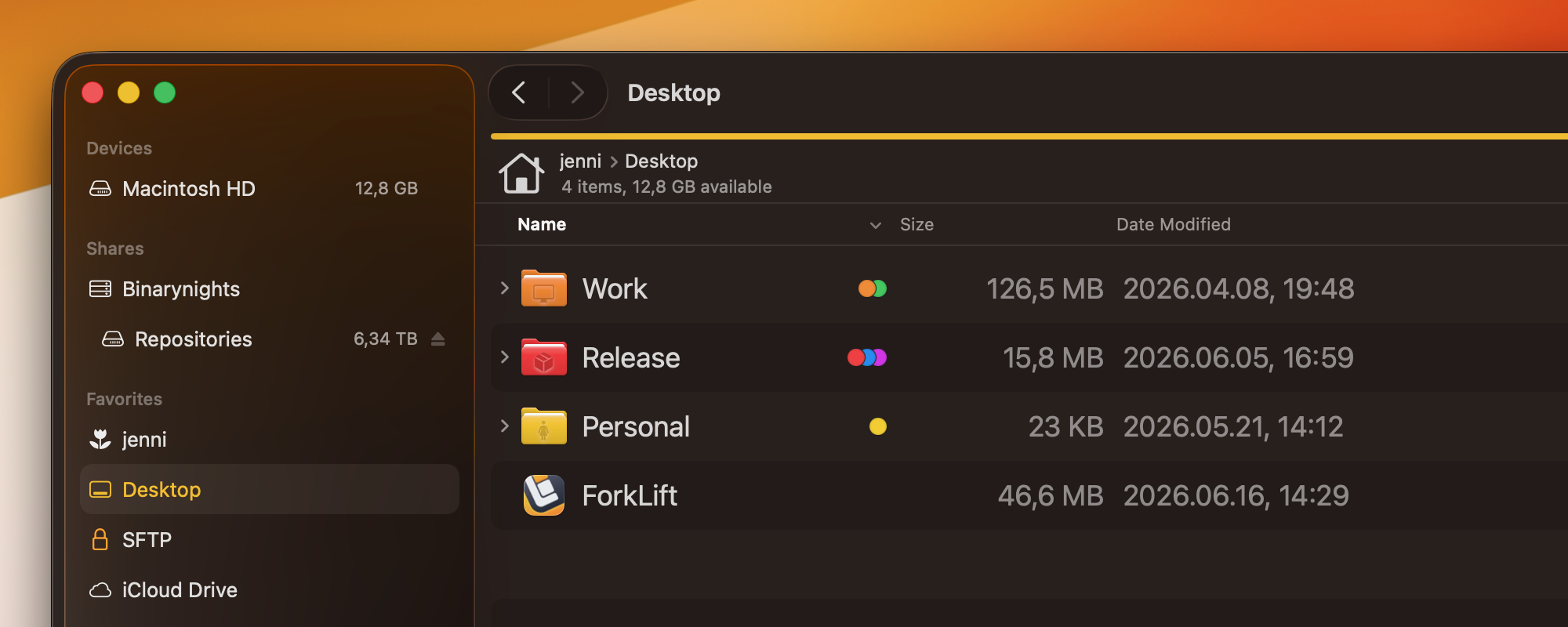
A small update focused on usability improvements and fixes
ForkLift 4.6.4 brings a collection of small improvements and fixes that make everyday use of ForkLift smoother and more convenient.
Two notable enhancements focus on file navigation. Quick Select now recognizes accented letters, making it easier to find files whose names contain accented characters. In addition, the Go to Folder window can now recognize and locate aliases and symlinks, improving navigation throughout your file system.
Full List of changes:
Improvements
- Adds warning before deleting a theme from the Settings to avoid accidental deletion
- Small GUI enhancements
- Quick Select is able to find accented letters
- Go to Folder is able find aliases and symlinks
Fixes
- Fixes an issue in Column View in rename mode where the selected file name could float over the other files when scrolling
- Fixes path bar inconsistencies
- Fixes the Quit and Keep Windows command in the Keyboard shortcuts in the Settings
- Makes the Sync to command inactive while one pane is in search mode
- Fixes a possible hang while changing themes in the Settings
Hi,
are there any plans to have a kind of address bar like you have in (sorry) the windows explorer. Sometimes it is easier for me to navigate to a folder just by typing the address or I need the current path, than it is super easy to copy the string. I know that there is a “go to” shortcut, but that needs extra interaction.
Best regards
No, we don’t plan to add such an address bar.
This version still has the icons flipping colors issue (as expected) – reverting back to 4.6 again 😞 .
I know the developer really is working hard on ForkLift, which I very much appreciate, and the choices made are very understandable, but the color flipping of the icons is just super annoying.
Yes, this is still a problem on Tahoe. I have to stay on 4.6 because of this broken behavior. Not only colors flipping but file icons associated with programs not displayed.
As mentioned before, we are not currently planning to switch back to the old API. We understand that the icon color-flipping and other issues can be frustrating, but at this point we are hoping Apple will address the problem on their side. Since ForkLift is using Apple’s newer API, any fix from Apple should automatically benefit all newer ForkLift versions that rely on it.
If we ever decide to revert to the old API, we will clearly mention that in the release notes. If no such change is listed, then the resolution of this issue depends on Apple.
Same problem, and it’s even worse on mounted SMB shares – browsing gets slowed-down or even crippled to the point that navigating directories “too fast” can even crash the application (ForkLift, that is).
That is what I’m experiencing as well. Any network share is just terrible to work with. 😞
Note: I do understand this is a macOS API issue, but it still is super annoying.
Are these two separate issues or do you think that the slowness is caused by the preview API?
I have no hard proof these are related, however icons updating is relatively slow. Maybe the change in colors may make us user perceive it as “slower” as well.
Just did some tests with a local directory (~/Library) and a large directory on my SMB share. On a M1 Max, running Tahoe 26.5.2, it takes about 1, maybe 2, seconds to refresh the (visible) icons in both cases – if no special icons were used. Hard to time and see if there is a difference in performance, it feels like SMB and local directory perform about the same, however the local directory seemed a little slower when a special icon was used by one or the other file.
Note: 4.6 (the old version) performs better (visually anyway).
Also with the latest version (4.6.4):
– Some folder aliases do not update to the blue color.
Example: ~/Dropbox alias and ~/Google Drive folder aliases remain the correct icon color (orange on my setup), but all normal folders first become orange (as it should in my setup) and then get updated in app 1-2 seconds to a blue folder icon.
– Only visible items get the blue icon (I assume this is for performance reasons – so not unexpected), other icons get updated as they become visible over and over again as one scrolls through long lists.
– The color changes is highly annoying (to me) so I’m sticking to using 4.6 for now, and not the latest version. I’d have to work with the latest version a few days to confirm doing anything major on my SMB shares.
We have just downloaded the latest macOS beta and it seems that Apple has fixed the issue.
For a second I was excited … but after updating to Tahoe 26.6.1, and updating to Forklift to 4.7.3 the Icon issue is still there 😞
Shoot! I overlooked that you had written “beta”. I’m not planning on running macOS beta – too many bad experiences in the past – so I’ll wait until macOS 27 is out of beta. No biggy, will just keep using 4.6 for now 😉
p.s. did the same test 4.7.3 with the same findings (just relased 4.6.4 was rather old already).
Why do you think that this issue is connected to the preview API? Please send us the crash report and also a screen recording if you can reproduce the issue at support [at] binarynights [dot] com
I don’t see other related changes in the ForkLift versions changelog after 4.6. The version 4.6 (469) is the last one that works fine, and that is the one I keep downgrading to after every update, because the problem is still present in newer versions.
One other symptom is that I can literally see in real time how folders get colored one by one when I enter a directory.
Sure, I’ll try to reproduce the crash and will send you a crash report.
As for the argument that this is the official Apple’s API – it’s not like this is the first time when Apple released something flawed / unfinished or simply broken (which can just as well remain broken for years).
It seems that they have fixed this issue in the latest Golden Gate beta. If you have updated to that version, then can you check the behavior and let us know?