 Binarynights

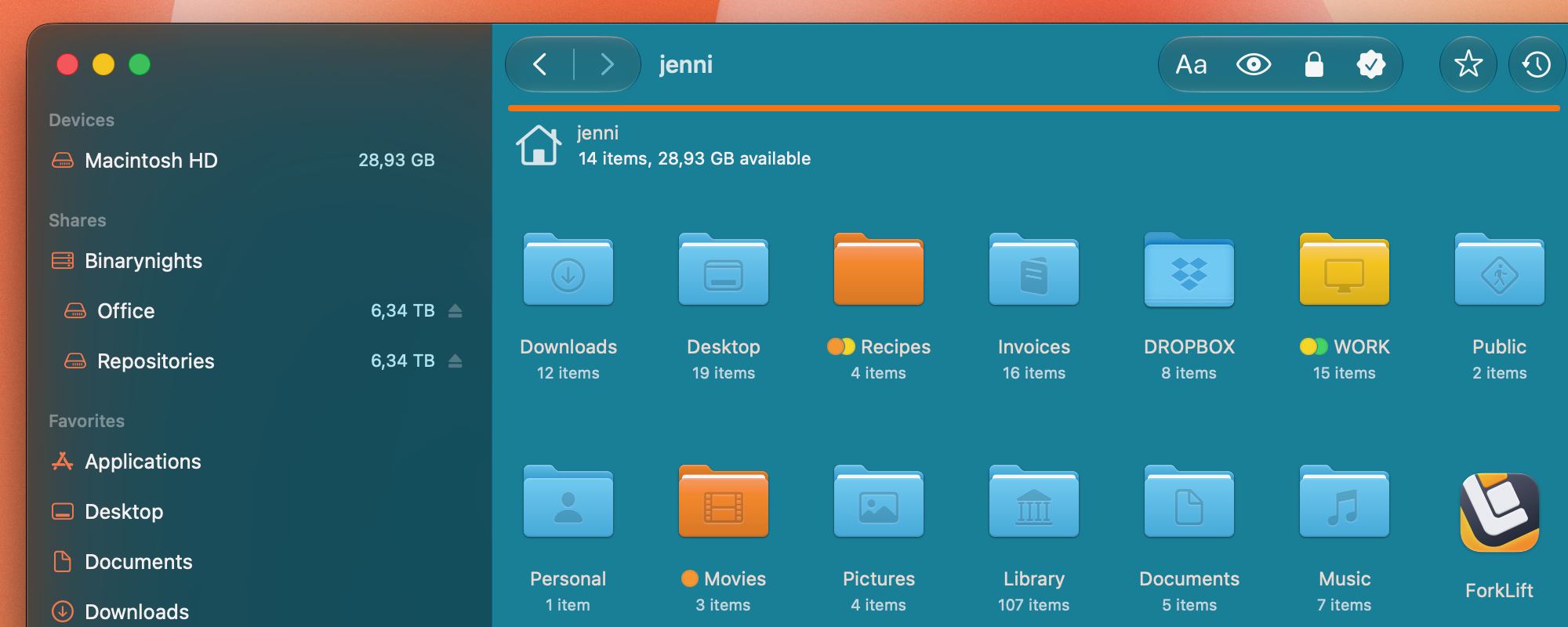
In ForkLift 4.7.3, our main focus was on Icon View. We brought back some of the behavior from earlier native macOS versions that had disappeared over the years and was not included in ForkLift 4.
You can now navigate across rows with the arrow keys, so navigation no longer stops at the end of a row. It is also possible to select a range of items, even across multiple rows, by holding down the Shift key and clicking the first and last item in the selection. You can extend the selection further with either Shift-click or Command-click.
We also improved drag selection in Icon View. Previously, selecting multiple items with the mouse could sometimes be difficult because dragging would start instead of creating a selection. The dimensions of items are now better defined, making the behavior of dragging and drag-selecting much closer to what you see in Finder.
We believe these improvements make working in Icon View much smoother and more intuitive.
Full List of changes:
New
- In Icon View, you can navigate to the next row by pressing the Right Arrow key at the end of a row
- In Icon View, you can navigate to the previous row by pressing the Left Arrow key at the beginning of a row
- Range selection with Shift-click in Icon View
- Open in New Window context menu item for tabs
- Home and End keys in Icon View to jump to the beginning or end of the file view
Improvements
- Improved drag selection in Icon View
- Improved stability and performance to help prevent possible crashes and hangs
Hi!
Thanks for the update and all of your hard work. I would like to request a feature:
When using dual-pane mode, there is currently no quick way to open the selected folder in the opposite pane while keeping the current pane unchanged.
This workflow exists in other file managers, and is extremely useful for keyboard-driven navigation.
Suggested implementations:
* Context menu: Open in Other Pane
* Optional keyboard shortcut.
* Optional toolbar button.
Example:
Upper pane (yes, I use horizontal panes):
Projects
├── Client A
├── Client B
└── Client C
Selecting Client B and invoking Open in Other Pane should result in:
Upper pane – remains at Projects
Lower pane – opens Projects/Client B
This avoids cloning the pane first and greatly speeds up comparing, copying and organizing files.
Thanks in advance!
You can do that, just hold down the Option key, and the Open in new tab command will become Open in other pane. That works form the context menu or from the Go menu. If you open the Go menu, you can see the keyboard shortcut for the command, which you can also change in the Settings.
Hi, thanks for the hard work as always!
I have a problem where all the default folder color are blue, it won’t update even when I changed my folder color on System Settings. It shows the correct color only 1 second after I launched Forklift but became blue afterwards.
Can you guys have a look and come up with a fix? I’m on macOS Golden Gate.
Unfortunately, this is an issue with the preview API that we use. Apple should fix this problem, and they are aware of it.
Do you know if it is solved with macOS 27? I haven’t it installed yet?
Yes, Apple has fixed this issue, which means that if you make changes in the System Settings, those will be visible in ForkLift as well. This fix is only available on the latest versions of macOS 27. There are some file icons that aren’t displayed correctly with this new API, which is apparently a different issue, and hasn’t been fixed. We have also reported that problem.
Thanks for your great app which I use since a long time.
I have a feature wish. Could it be possible to configure how the date in the file list is displayed? At the moment I see e.g.
16. December 2025 at 07:12
This is very long and date is always different in size depending on month. Would it be possible to switch to a different format in the settings like
16.12.2025 07:12
Makes the width of this column smaller and always the same size …
Thanks a lot!
The date format in ForkLift follows the system settings. However, there are 4 different date lengths, and depending on the date column widths in ForkLift, you see different formats. The same is true for Finder, if you make the columns wider or narrower, you will see different date formats.
It was possible to change the formats in the System Settings before but that is not possible any longer. That way you could make the longer date formats shorter or the shorter formats longer. You can read about this here and also find out how to change the formats from the Terminal: https://www.caseyliss.com/2022/11/14/ventura-date-formats
Oh yeah. That’s nice. Changing the date width changes the date format. That’s all I wanted. Thanks!